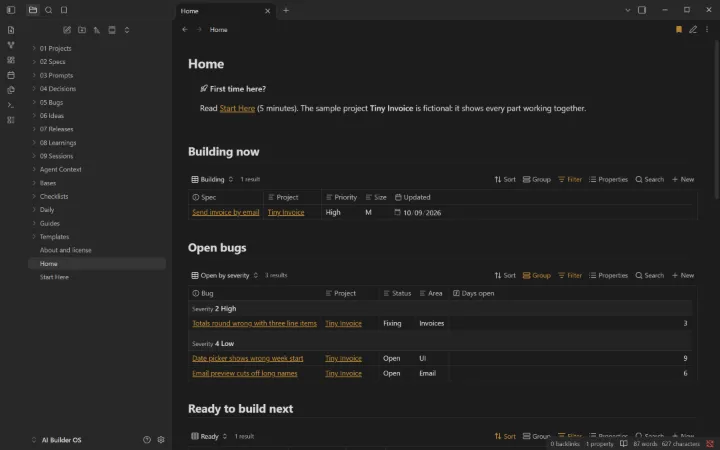
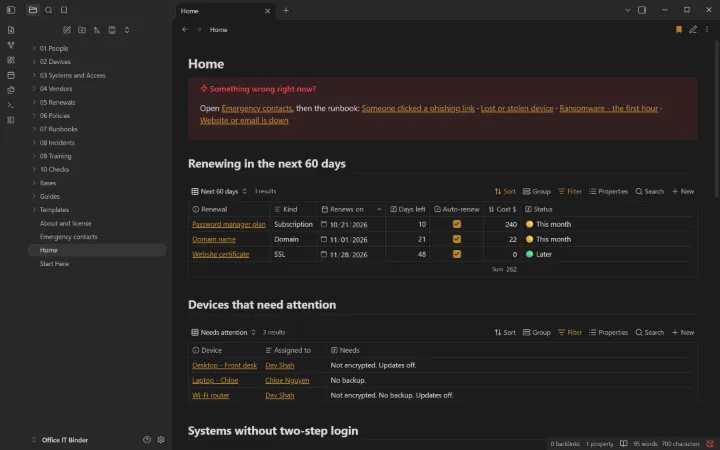
Open one in Obsidian, the free note-taking app, and you have dashboards, templates and written procedures on day one. Your files stay on your computer and phone. No plugins, no subscription.
Obsidian is a free app that turns a folder of plain text files into a fast, linked workspace. No account needed, nothing locked in a database, and it works offline.
Free for personal and work use
Plain Markdown files: open them with any app, forever
Fast search, links between notes, and built-in databases (Bases)
Runs on Windows, Mac, Linux, iPhone, iPad and Android
Questions
Straight answers.
What is Obsidian?
A free note-taking app for Windows, Mac, Linux, iPhone, iPad and Android. Your notes are plain files on your own device, not in someone else’s database. Get it at obsidian.md.
Do I need plugins or coding?
No. Everything uses Obsidian’s built-in features (Bases, templates, daily notes), so it works with Restricted mode on, works on your phone, and keeps working when Obsidian updates.
What exactly do I get?
A ZIP with the complete vault: templates, ready-made views, guides, and fictional sample data you can clear from one list. Open the folder in Obsidian and the Home page appears.
Can I change it?
Yes, all of it. Rename statuses, add fields, delete what you don’t need. It’s yours to keep.
Does it work on my phone?
Yes. Use any sync you like (Obsidian Sync, iCloud or a free option); a guide inside compares them.
Is my data private?
Yes. The vault runs on your devices and we never see your notes. It’s designed to never hold passwords or ID numbers.
What if it isn’t right for me?
Email us within 14 days of buying and we’ll refund you. No form, no argument.
Do I get updates?
Yes, free for 12 months: re-download from the link on your purchase page.
Who made this?
Golden Rock, a technology partner in San Antonio, Texas. Not affiliated with or endorsed by Obsidian (Dynalist Inc.).
Want it set up for you?
We can tailor a vault to your business, or connect it to the tools you already use.
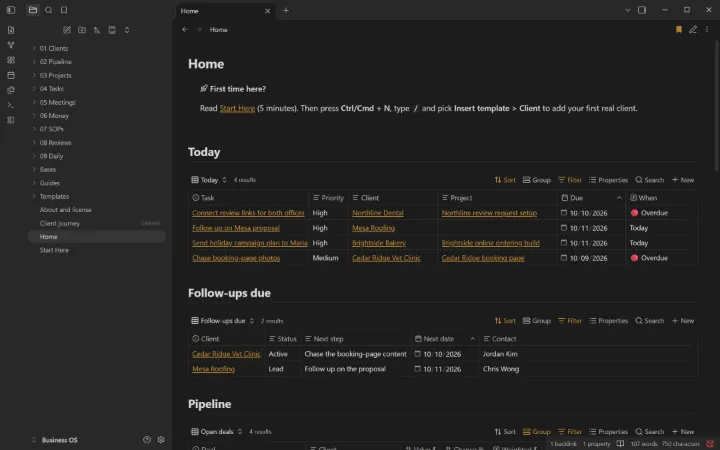 For freelancers, consultants and small service businesses