Obsidian vault · For founders and developers building with AI tools
Build with AI, without losing the plot.
Specs an AI agent can follow, 16 tested prompts, decision and bug logs, ranked ideas, release notes and launch checklists, in one Obsidian vault that sits next to your code. Works with Claude Code, Cursor, Lovable or any assistant.
Instant downloadWindows, Mac, iPhone, AndroidNo plugins12 months of updates
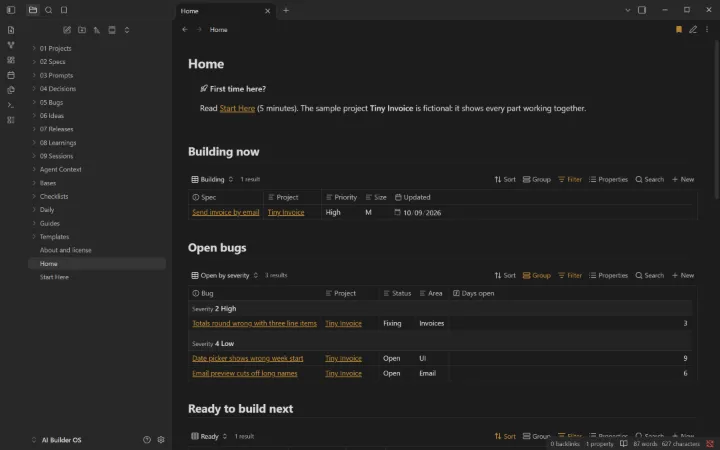
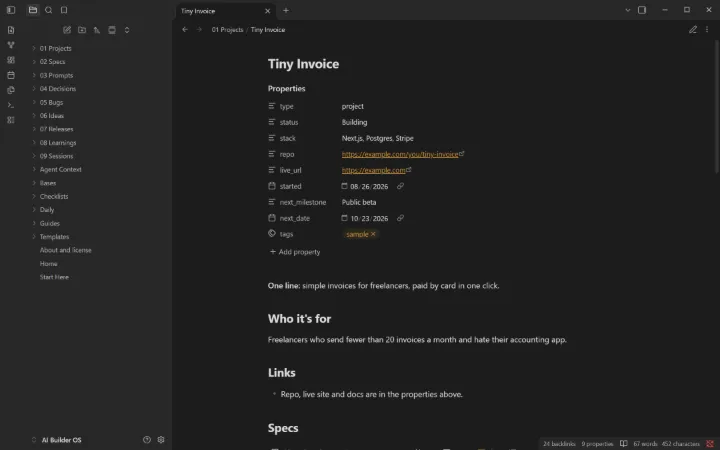
The Home page: what you’re building, open bugs, what’s ready next and your best ideas.
16tested prompts
27ready-made views
5launch checklists
0plugins needed
What’s inside
Everything in one vault.
I
Specs
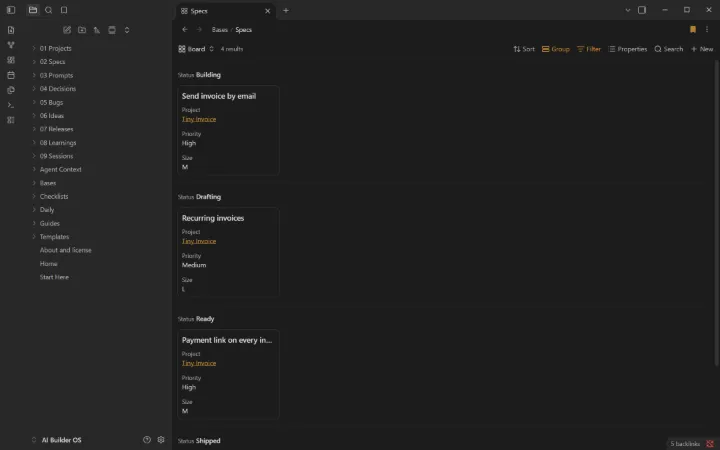
Problem, goal, acceptance criteria, edge cases and security notes, on a board from idea to shipped.
II
Prompt library
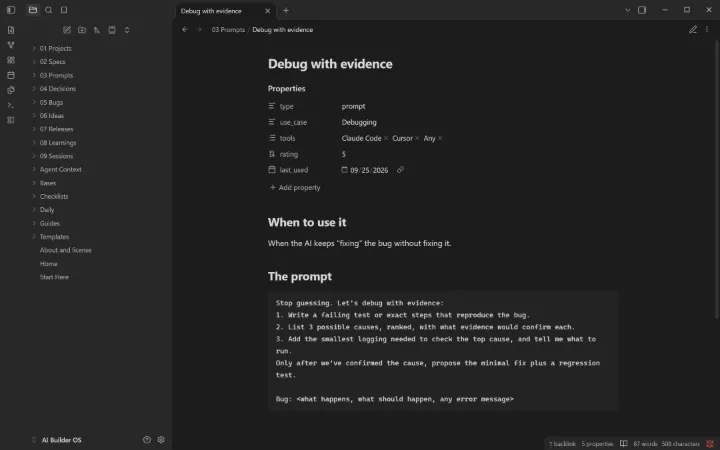
16 prompts that make AI tools plan first, write tests, debug with evidence and review their work.
III
Agent context
Starters for AGENTS.md, CLAUDE.md and Cursor rules, plus a context-pack checklist.
IV
Decisions
Why you chose X over Y, so neither you nor the AI undoes it later.
V
Bugs
Open bugs grouped by severity, with root cause, fix and prevention.
VI
Ideas
Ranked automatically by impact × confidence × ease.
VII
Releases and sessions
Release notes per version, and a two-minute log after each AI coding session.
VIII
Launch checklists
Pre-launch security, launch day, the first week, and reviewing AI-written code.
A closer look
Real screens from the vault.
Fictional sample data is included so every view shows something on day one. Clear it from one list when you’re ready.
Specs on a board, from drafting to shipped.A prompt from the library, ready to copy.A project page pulls in its specs, bugs, decisions, releases and ideas.
How it works
Three steps, about five minutes.
Buy and download. You get a ZIP right after checkout. Keep the page: the link works for 12 months of updates.
Open it in Obsidian. Install the free app, choose “Open folder as vault” and pick the folder.
Start at Home. Read “Start Here”, add your first real item, and clear the samples when you’re ready.
Built to last
No plugins. No lock-in.
Only Obsidian’s built-in features, so it works with Restricted mode on and survives updates
Plain Markdown files you own and can open with any app
Works on your phone the same as on your computer
Start Here guide, cheat sheets, and fictional samples to learn from
Made by Golden Rock, a technology partner in San Antonio
Try it free
Start with AI Builder OS Lite.
A free, smaller edition you can keep and share. If it helps, the full vault picks up where it stops.
The Spec template, a specs board and five of the prompts. No email needed.
Questions
Straight answers.
What is Obsidian?
A free note-taking app for Windows, Mac, Linux, iPhone, iPad and Android. Your notes are plain files on your own device, not in someone else’s database. Get it at obsidian.md.
Do I need plugins or coding?
No. Everything uses Obsidian’s built-in features (Bases, templates, daily notes), so it works with Restricted mode on, works on your phone, and keeps working when Obsidian updates.
What exactly do I get?
A ZIP with the complete vault: templates, ready-made views, guides, and fictional sample data you can clear from one list. Open the folder in Obsidian and the Home page appears.
Can I change it?
Yes, all of it. Rename statuses, add fields, delete what you don’t need. It’s yours to keep.
Does it work on my phone?
Yes. Use any sync you like (Obsidian Sync, iCloud or a free option); a guide inside compares them.
Is my data private?
Yes. The vault runs on your devices and we never see your notes. It’s designed to never hold passwords or ID numbers.
What if it isn’t right for me?
Email us within 14 days of buying and we’ll refund you. No form, no argument.
Do I get updates?
Yes, free for 12 months: re-download from the link on your purchase page.
Who made this?
Golden Rock, a technology partner in San Antonio, Texas. Not affiliated with or endorsed by Obsidian (Dynalist Inc.).
Also available
The other vaults.
For freelancers, consultants and small service businesses
Business OS
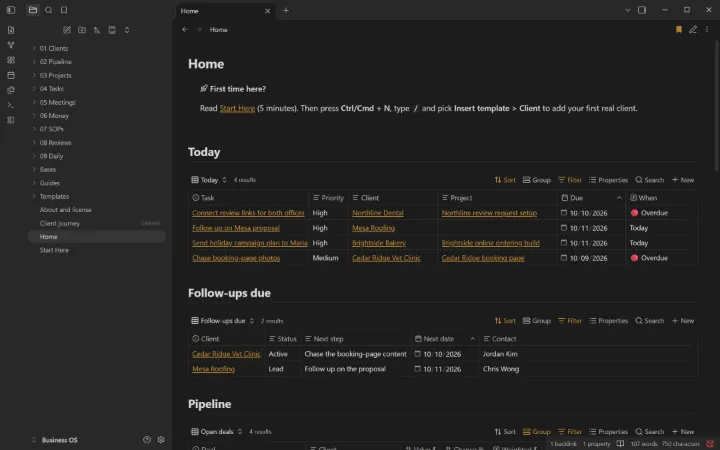
Clients, pipeline, projects, invoices and ten written procedures. One Home page shows what needs you today.
Pipeline with total and weighted value
Late invoices flagged automatically
10 written procedures, from discovery call to offboarding
 For freelancers, consultants and small service businesses