Obsidian vault · For small offices that look after their own IT
Your office’s IT, written down before the bad day.
Who has what, which systems hold which data and what renews when, plus eight plain-English policies and ten step-by-step runbooks for lost laptops, phishing and ransomware. One Obsidian vault, and it never stores passwords.
Instant downloadWindows, Mac, iPhone, AndroidNo plugins12 months of updates
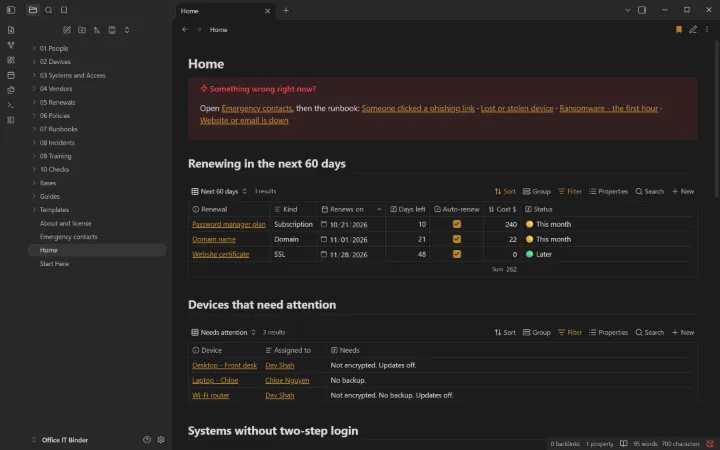
The Home page: renewals coming up, devices that need attention, systems without MFA, open incidents.
8plain-English policies
10step-by-step runbooks
26ready-made views
0plugins needed
What’s inside
Everything in one vault.
I
People
Who works here, who has two-step login and a password manager, and who’s due for training.
II
Devices
Every laptop, phone and router: owner, warranty, encryption, backup and updates.
III
Systems and access
Every app and account, what data it holds, who owns it, and whether MFA is on.
IV
Vendors
Who can touch your data, and when you last checked them.
V
Renewals
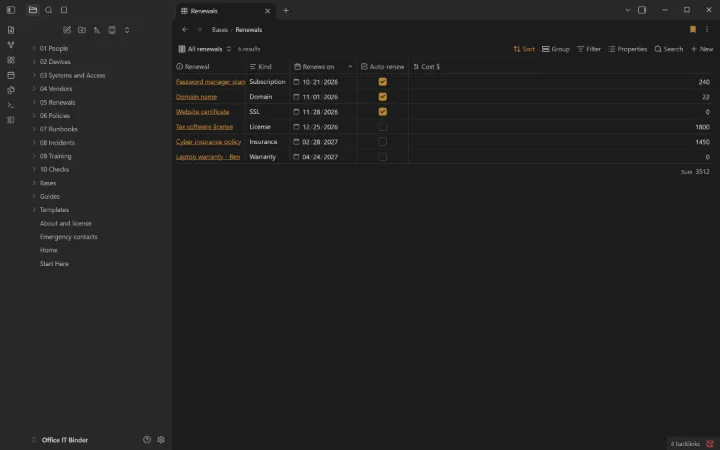
Domains, certificates, licenses, insurance and warranties, sorted by date.
VI
8 policies
Acceptable use, passwords and MFA, devices, email and payments, backups and more.
VII
10 runbooks
Phishing click, lost device, ransomware’s first hour, offboarding, restore test and more.
VIII
Incidents and checks
An incident log, plus monthly, quarterly and yearly check templates.
A closer look
Real screens from the vault.
Fictional sample data is included so every view shows something on day one. Clear it from one list when you’re ready.
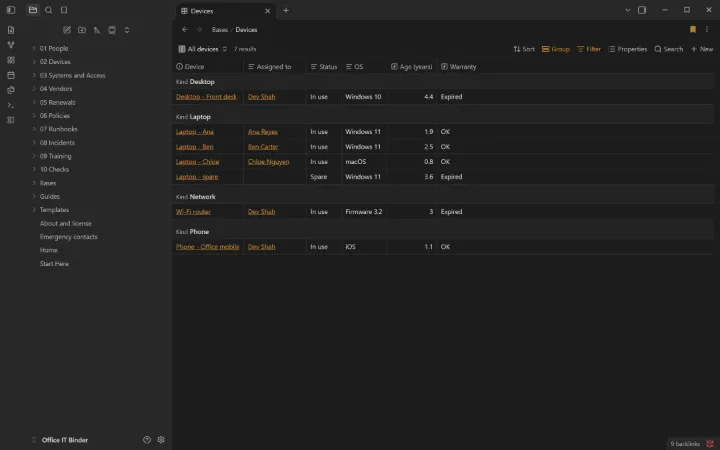
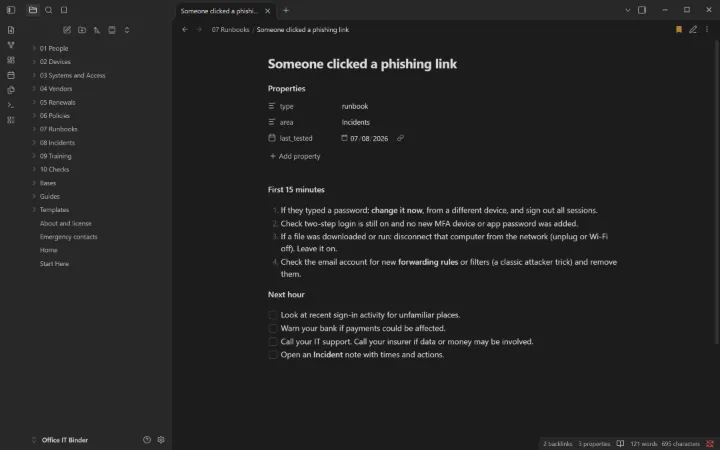
Every device, grouped by type, with warranty status.A runbook for the moment someone clicks a phishing link.Every renewal, sorted by date, with the yearly cost totaled.
How it works
Three steps, about five minutes.
Buy and download. You get a ZIP right after checkout. Keep the page: the link works for 12 months of updates.
Open it in Obsidian. Install the free app, choose “Open folder as vault” and pick the folder.
Start at Home. Read “Start Here”, add your first real item, and clear the samples when you’re ready.
Built to last
No plugins. No lock-in.
Only Obsidian’s built-in features, so it works with Restricted mode on and survives updates
Plain Markdown files you own and can open with any app
Works on your phone the same as on your computer
Start Here guide, cheat sheets, and fictional samples to learn from
Made by Golden Rock, a technology partner in San Antonio
Try it free
Start with Office IT Binder Lite.
A free, smaller edition you can keep and share. If it helps, the full vault picks up where it stops.
The device list, an Emergency contacts page and three runbooks. No email needed.
Questions
Straight answers.
What is Obsidian?
A free note-taking app for Windows, Mac, Linux, iPhone, iPad and Android. Your notes are plain files on your own device, not in someone else’s database. Get it at obsidian.md.
Do I need plugins or coding?
No. Everything uses Obsidian’s built-in features (Bases, templates, daily notes), so it works with Restricted mode on, works on your phone, and keeps working when Obsidian updates.
What exactly do I get?
A ZIP with the complete vault: templates, ready-made views, guides, and fictional sample data you can clear from one list. Open the folder in Obsidian and the Home page appears.
Can I change it?
Yes, all of it. Rename statuses, add fields, delete what you don’t need. It’s yours to keep.
Does it work on my phone?
Yes. Use any sync you like (Obsidian Sync, iCloud or a free option); a guide inside compares them.
Is my data private?
Yes. The vault runs on your devices and we never see your notes. It’s designed to never hold passwords or ID numbers.
What if it isn’t right for me?
Email us within 14 days of buying and we’ll refund you. No form, no argument.
Do I get updates?
Yes, free for 12 months: re-download from the link on your purchase page.
Who made this?
Golden Rock, a technology partner in San Antonio, Texas. Not affiliated with or endorsed by Obsidian (Dynalist Inc.).
Also available
The other vaults.
For freelancers, consultants and small service businesses
Business OS
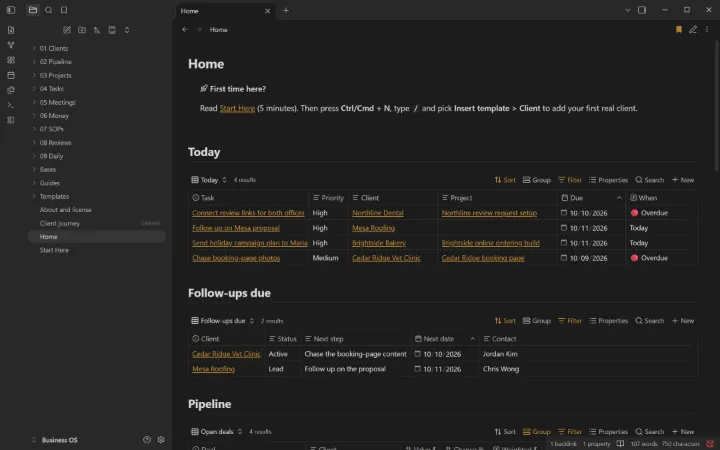
Clients, pipeline, projects, invoices and ten written procedures. One Home page shows what needs you today.
Pipeline with total and weighted value
Late invoices flagged automatically
10 written procedures, from discovery call to offboarding
 For freelancers, consultants and small service businesses